Configuring 2FA For VPN
Configuring 2FA for VPN
It's possible to configure multiple Authentication Policies within the Nodal VPN server. Using this function you can assign different Authentication Policies for different users or roles.
Here, we will focus on adding extra authentication specifically for VPN Client access. To begin navigate to Security->Authentication Policies.
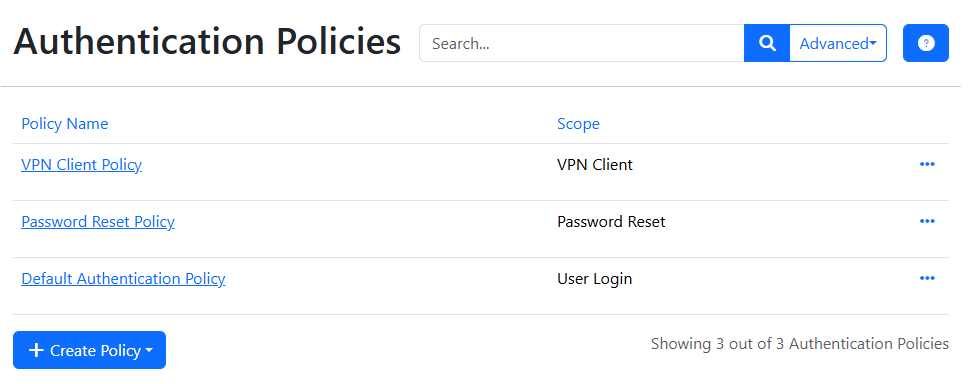
Edit the existing VPN Client Policy by clicking on its name.
Note: It is also possible to create a new policy by clicking Create Policy, then selecting VPN Client. You would do this if you wanted to grant differing authentication for different groups of users.
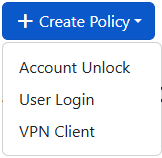
For now though, editing the existing policy should be acceptable.
After selecting the existing VPN Client Policy
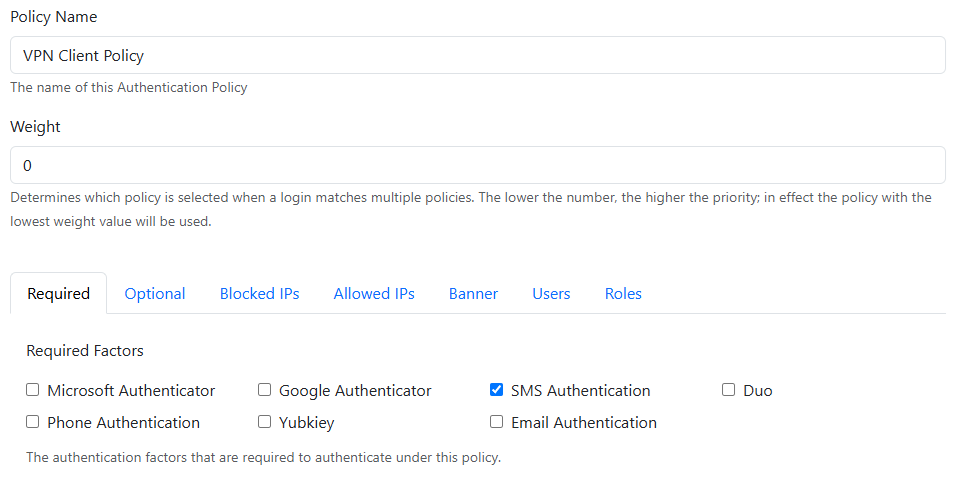
You can choose to rename the Policy if that helps you remember the authentications you have configured, but in this case we're going to leave the name as the default. The Weight sets the priority of the policy, the lower this value the higher priority the policy will have. If this policy then applies to more than one user, the lower weight one will take precedence.
You can then specify the Required authentication modules that must be provided, we'll make an SMS policy here, so tick that option in required factors.
The additional tabs allow configuration of additional optional authentication modules, blocking or allowing IPs and any extra information you might wish to show on the login banner for that page.
The Users and Roles tabs allow assignment of the policy to particular user accounts and roles.
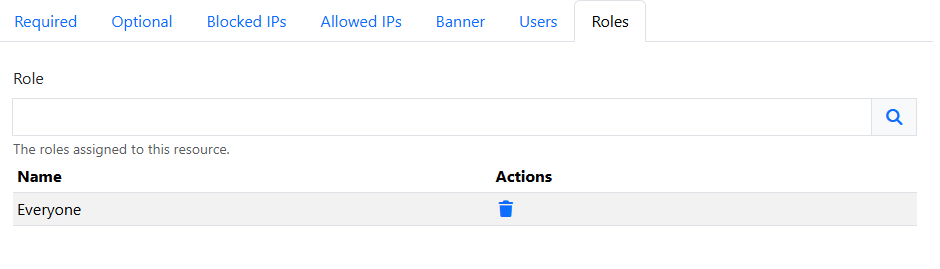
Note: Everyone is a special role which is automatically mapped to all users.