Registering Devices
<!-- AUTOMATION_METADATA_START
screenshot_source_url: https://
This guide explains how to register a laptop or workstation so it can request SSH access through SSH Teams.
<!-- Automation screenshot source URL: https://
Before You Start
Make sure you have:
- The
sshteamCLI installed on the device. - A browser available to approve the registration.
- A valid SSH Teams user account.
- A trusted certificate on your SSH Teams server for production use.
What Device Registration Means
When you register a device, you link it to your SSH Teams user account. The device can then request short-lived access passes when you connect to servers.
Think of it like pairing your phone with an app, but for SSH access.
Start Registration
Run this command in a terminal on the device:
sshteam init https://<hostname>
You can also leave off https:// and just use the hostname:
sshteam init my-sshteam.example.com
The CLI will show a web link and a short code.
Approve the Device in Your Browser
- Open the link shown by the CLI.
- Sign in to SSH Teams if asked.
- Review the device details.
- Click Approve.
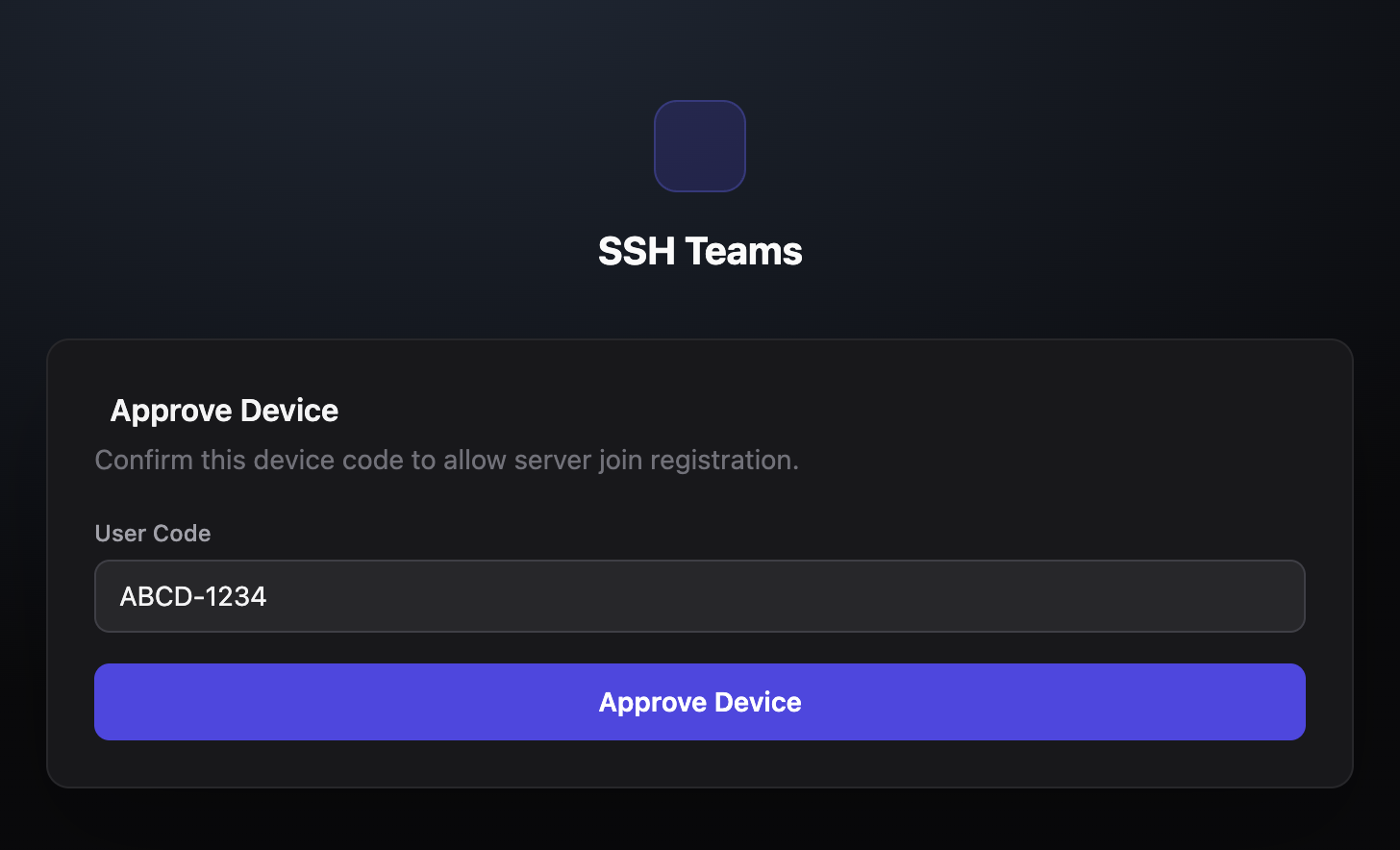
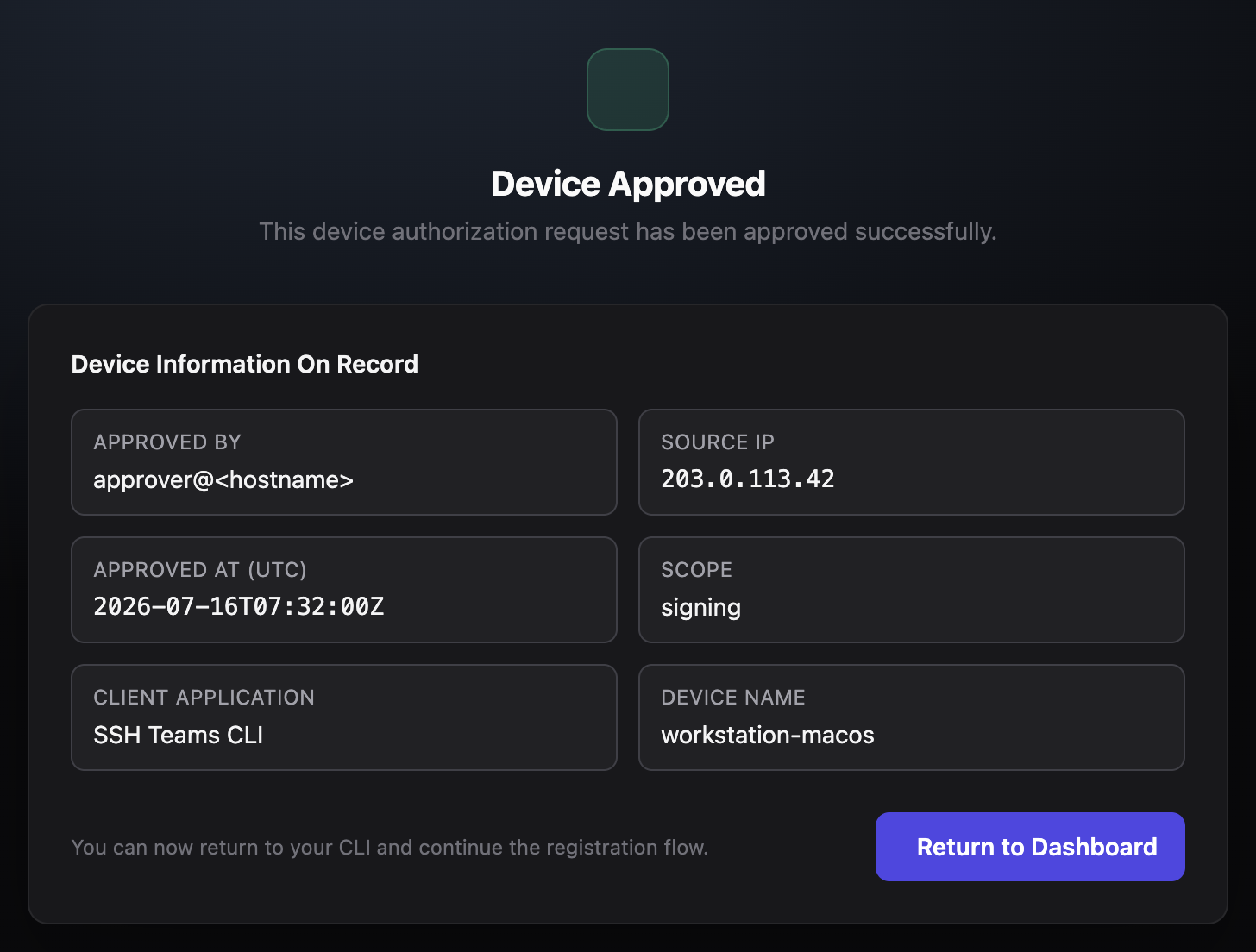
After approval, the CLI finishes setup automatically.
What Happens Next
Once approved, the device stores a secure token locally. This token is used to request access passes when you connect to servers.
Tokens are refreshed automatically, so you rarely need to register again. If the device is lost, stolen, or no longer needed, you can revoke it from the dashboard.
Default timing:
- Device codes expire after 10 minutes.
- Access passes are valid for 24 hours.
- Refresh tokens are valid for 30 days.
Two Different Flows
The sshteam init command uses a registration flow for user devices. Server join scripts use a separate flow for adding servers. They are not the same thing.
View and Revoke Devices
- Sign in to SSH Teams.
- Go to My Devices.
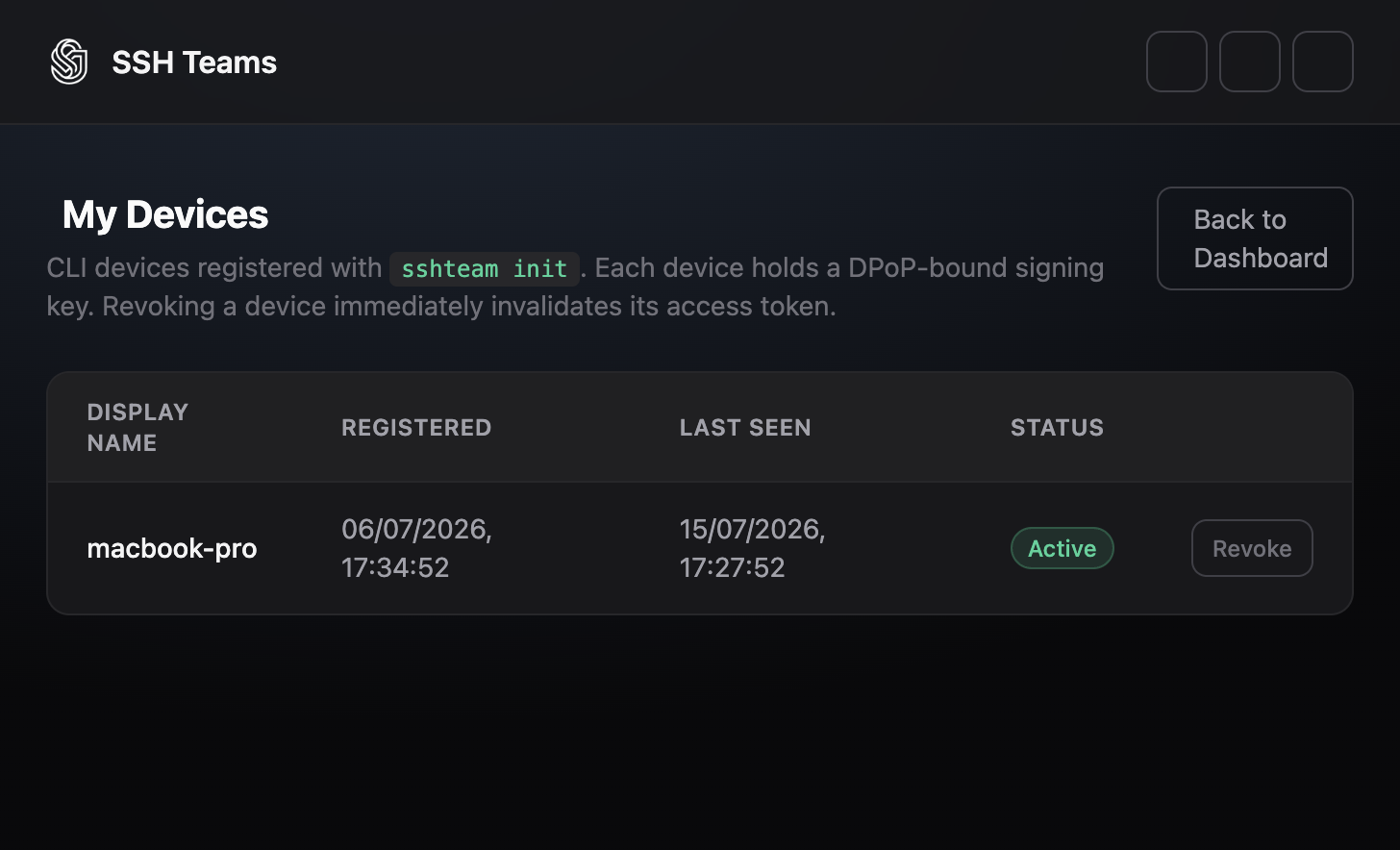
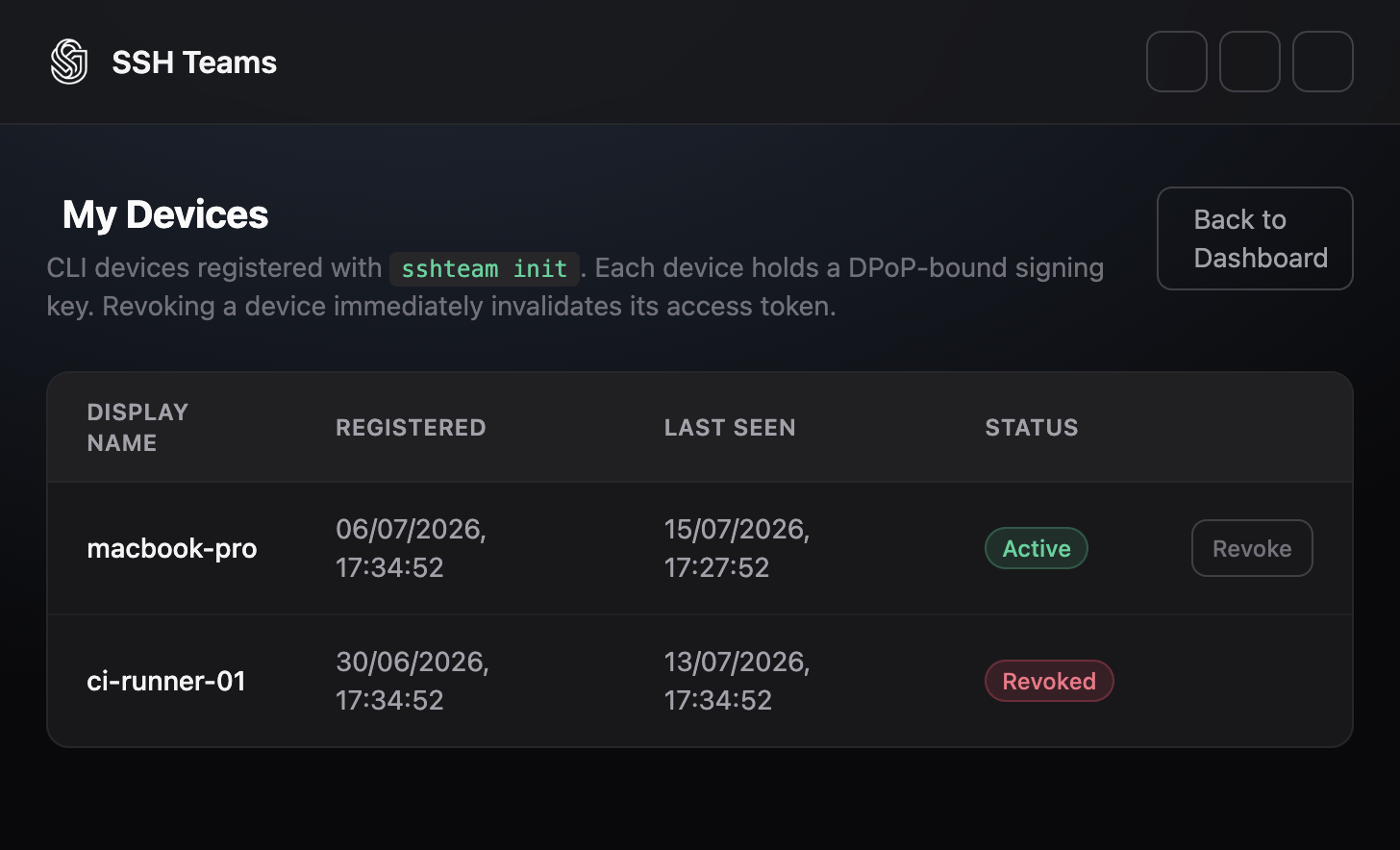
To remove a device:
- Find it in the list.
- Click Revoke.
- Confirm.
The device will no longer be able to request access. If you revoke by mistake, run sshteam init again to re-register.
Fixing Common Device Problems
-
The code expired before approval.
- Run
sshteam init https://<hostname>again and approve promptly.
- Run
-
Approval was denied.
- Run the command again and make sure to click Approve.
-
The CLI waits a long time and then times out.
- Make sure you opened the exact URL shown by the CLI.
- Check that the code on the page matches the one in the terminal.
-
You see an invalid device proof error.
- Re-register the device. This creates a fresh token pair.
-
Access fails after revoking a device.
- This is expected. Re-register the device if you still need access.
-
Access fails after a long time.
- The refresh token may have expired. Run
sshteam init https://<hostname>again.
- The refresh token may have expired. Run